Posts

Showing posts with the label Web Services

Oracle SOA- Calling stored procedure via BPEL

Image
In my this post, I'll share the details how can you insert a new line character in your XPath expression during assignment (assign activity in BPEL). So let's get started- In this post, I am using BPEL2.0, JDEV11g, Oracle Database12c 1. Create a new SOA composite application and add a new soa peoject- Calling SPViaBPEL 2. Drag a new database adapter in composite swim lane (external references) 3. Start DB adapter configuration as below-   4. Provide DB Adapter Service name-  5. Select existing database connection to oracle database or create a new then select the same. Make sure your JNDI configuration exists in weblogic server outbound connection pool.  Please refer https://k10middleware.blogspot.in/2017/05/oracle-weblogic-server-new-data-source.html for creating a new data source in weblogic.   6. Select schema then procedure from browse option(packge.procedure_name) 7. Continue with default values. 8. Finish it. 9. Create a new BPEL process with new schem...
Oracle SOA- Subscribing to Human Task Events

Image
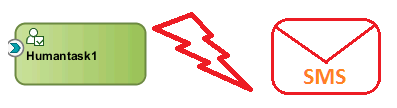
In this post I,ll showcase how can a SOA composite application can subscribe to a human task event. So let's get started- The functionality can be achieved by- a  Mediator Component or a BPEL Process Sample Use Case- Let's consider a scenario where I would like to send SMS/Email notifications whenever a human task is assigned to a user (typically onTaskAssigned event). Consideration- Our Weblogic server has been configured with smppdriver and is up and running. Please refer to this link   in case you are using smpp driver for the first time. For this tutorial, I have taken consideration of human task subscription using a BPEL process and same can be used for Mediator component based implementation I have used Oracle SOA Suite 11g in jDeveloper  11g & Weblogic Server 10.3.6 Implementation- In this implementation I have taken the scenario of SMS notification,however same can be used for email notifications as well. Step1- Create a MDS connection We n...

Oracle SOA Suite- Implementing SMS Notification

Image
In this post, I am going to show how to implement SMS notifications in Oracle SOA suite using BPEL process. So let's get started- Implementing SMS notification in Oracle SOA Suite consists of below steps: Environment- IDE- Oracle jDeveloper 11g Weblogic Server 12c Oracle SOA Suite 12c High Level Steps Keep ready smpp server settings. Configure & enable usermessagingdriver-smpp for target SOA servers via console. Setting up Email driver (usermessagingdriver-smpp )with smpp server settings via enterprise manager. Enable notifications for SOA workflows(make sure either All or SMS option is selected). Create SOA composite application Deploy it on SOA server. Testing & done. 1. Keep ready smpp server settings. Keep ready your below smpp server settings: SMS Account ID SMS Server Host Transmitter System ID Transmitter System Type  Transmitter System Password Transmitter Server Port  Receiver System ID Receiver System Type Recei...

Oracle SOA Suite- Implementing Email Notification

Image
In this post, I am going to show how to implement email notifications in Oracle SOA Suite using BPEL process. So let's get started- Implementing email notification in Oracle SOA Suite consists of below steps: Environment- IDE- Oracle jDeveloper 11g Weblogic Server 12c Oracle SOA Suite 12c High Level Steps Keep ready email server settings. Configure & enable usermessagingdriver-email for target SOA servers via console. Setting up Email driver (usermessagingdriver-email )with email server settings via enterprise manager. Enable notifications for SOA workflows(make sure either All or EMail option is selected).. Create SOA composite application Deploy it on SOA server. Testing & done. 1. Keep ready email server settings. Keep ready your below email server settings: Outgoing Mail Server          : smtp.domain.com Outgoing Mail Server Port   : xxx Default From Address         : username@doamin...