Posts

Oracle BPM - Creating views for workspace/worklist

Image
In this post, I'll show how can we create Views in Oracle BPM Workspace/Worklist App. The need of views arises when we have too much processes deployed and need to filter specific process based on certain criteria. So let's get started- Assumption: Process developers having fair idea about BPM process design/development/deployment. 1. So first open the BPM Workspace/Worklist login screen & login using the credentials. In my case- weblogic/welcome1. 2. Dashboard screen comes post successful login. 3. Click on the  + green icon in left/right navigation panel to create a new view. 4. Select the human task you'd like to associate 5. Kindly fill the details like Name of view, Assignees, Task Type etc. If you'd like to share this view to all users then select appropriate radio button i.e. whether to share definition or data. 6. Press OK to save the view. Now the view  has been created and is available in left navigation panel bottom. Just click it and let's edit this...

Oracle SOA- Weblogic Server Start Error- ORA-28001: the password has expired

Image
Recently I have faced the issue of Weblogic server start error of my Oracle SOA/BPM environment. The Weblogic server says-  ================================================== Weblogic Server Start Error: Caused by: java.sql.SQLException: ORA-28001: the password has expired ================================================== In my this post, I'll share the details how can you make your Weblogic  overcome this issue by manipulating the database. So let's get started- Login to your SOA machine (My environment Oracle Linux , choose yours) using oracle user. 1. Go to DB home  bin directory-  cd $ORACLE_HOME/bin 2. Connect to sqlplus with / sysdba privileges. ./sqlplus /nolog; SQL>connect / as sysdba; 3. Now check the accounts belonging to SOA Server SQL> select username from  dba_users where account_status='EXPIRED' and username like '%SOA_%'; Result looks like- USERNAME ------------------------------------------- SOA_IAU_APPEND SOA_STB SOA_UMS SOA_MDS SOA_SOAI...

Oracle SOA- Calling stored procedure via BPEL

Image
In my this post, I'll share the details how can you insert a new line character in your XPath expression during assignment (assign activity in BPEL). So let's get started- In this post, I am using BPEL2.0, JDEV11g, Oracle Database12c 1. Create a new SOA composite application and add a new soa peoject- Calling SPViaBPEL 2. Drag a new database adapter in composite swim lane (external references) 3. Start DB adapter configuration as below-   4. Provide DB Adapter Service name-  5. Select existing database connection to oracle database or create a new then select the same. Make sure your JNDI configuration exists in weblogic server outbound connection pool.  Please refer https://k10middleware.blogspot.in/2017/05/oracle-weblogic-server-new-data-source.html for creating a new data source in weblogic.   6. Select schema then procedure from browse option(packge.procedure_name) 7. Continue with default values. 8. Finish it. 9. Create a new BPEL process with new schem...

MySQL Database basic administrative commands

Image
Hi folks, I am going to write some basic MySQL administrative commands in this post. So let's get started- Create New User in MySQL Database Login to MySQL with super user preferably root or user with full rights Execute below command CREATE USER 'username'@'hostname' IDENTIFIED BY 'YourPassword'; Example:  CREATE USER 'fmsuser'@'192.168.0.121' IDENTIFIED BY 'Pass1@210617'; Drop User in MySQL Database Login to MySQL with super user preferably root or user with full rights. Execute below command DROP USER 'username'@'hostname' Example:  DROP USER 'fmsuser'@'192.168.0.121' List All Users in MySQL Database  Login to MySQL with super user preferably root or user with full rights. Execute below command SELECT * FROM mysql.user Create New MySQL Database Login to MySQL with super user preferably root or user with full rights. Execute below command CREATE DATABASE newDBName DEFAULT CHARAC...

Oracle SOA- Subscribing to Human Task Events

Image
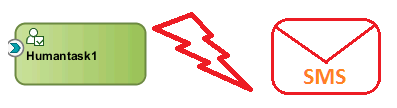
In this post I,ll showcase how can a SOA composite application can subscribe to a human task event. So let's get started- The functionality can be achieved by- a  Mediator Component or a BPEL Process Sample Use Case- Let's consider a scenario where I would like to send SMS/Email notifications whenever a human task is assigned to a user (typically onTaskAssigned event). Consideration- Our Weblogic server has been configured with smppdriver and is up and running. Please refer to this link   in case you are using smpp driver for the first time. For this tutorial, I have taken consideration of human task subscription using a BPEL process and same can be used for Mediator component based implementation I have used Oracle SOA Suite 11g in jDeveloper  11g & Weblogic Server 10.3.6 Implementation- In this implementation I have taken the scenario of SMS notification,however same can be used for email notifications as well. Step1- Create a MDS connection We n...

Oracle SOA BPEL inserting a new line character in XPath expression

Image
In my this post, I'll share the details how can you insert a new line character in your XPath expression during assignment (assign activity in BPEL). So let's get started- JDeveloper Version- 11g (11.1.1.7) Use case: Well, I had a use case when I had to send SMS notification and the SMS template was something like below: Now the problem was, BPEL XPath expression builder just help me to do string concatenation and I was stuck how to insert a new line char or to give a line break. Since I was using BPEL1.1 and I have tried to add below chars to achieve the new line but did not worked for me: 
 \n 
 Finally I have got the character 
 that perfectly worked with BPEL2.0 but not with BPEL1.1. So my XPath expression was something like concat('Dear ',XXXX,',',' 
 ','Your request with request ID ',XXXX,' has rejected by ',XXXX,'.') [UPDATE-03Dec2019] I have got few responses wher...

Oracle SOA BPEL access dynamic xml payload element using XPath

Image
In my this post, I'll showcase the scenario of accessing the XML elements for dynamic payload received. I am using Oracle SOA Suite 11g & BPEL 1.1, however same should work on higher versions also. So let's get started- Use case: I was given the below XML payload  Note that elements inside TargetEntity are dynamically generated at runtime. Corresponding XML schema is What we need to access To access the Value of  DataAttribute Name i.e.   district/ usr_circle/ Mobile etc. Solution Use XPath expression builder in your BPEL Process for assignment and use below code for the same: bpws:getVariableData('requestDetails','RequestData','/ns18:RequestData/ns18:TargetEntityData/ns18:TargetEntity/ns18:DataAttribute [@Name="NameAttribute"] /@Value') Here  NameAttribute refers to district/ usr_circle/ Mobile. So to access the value of attribute Name 'district', the XPath expression would be: bpws:getVariableDat...

Connecting to Weblogic Server embedded LDAP with jExplorer

Image
In this post I will show how can we connect our embedded weblogic server LDAP with external client like jExplorer. So let's get started- Kindly follow the steps below for the same: Step1: Login to Weblogic console. Step2: Navigate to your domain à Security à Embedded LDAP Step3:  Change Default credentials and Check on Anonymous Bind Allowed (Not recommended for production environment) Step4:  Save it and restart Admin & Managed Servers. Step5:   Download jExlorer tool from http://jxplorer.org/downloads/ Step6: Click on red marked area to create a new connection:  Step7: Enter the connection details: Step8:  Click on OK and will see this- And now you are connected to Weblogic Server embedded LDAP server.

Oracle Weblogic Server- New Data Source Creation

Image
In this post I am going to showcase the way we can add a new JDBC connection resource to our Weblogic server and once created we can use the same for our web applications being deployed on this Weblogic server. So let's get started- I have attached all step wise screenshots for easy understanding: I have used settings for Weblogic Server Version 10.3.6. Similar way is to do with other versions. First Login your oracle Weblogic server console- http://192.168.56.101:7001/console/. And now go through the below steps: